There are a variety of wedding photographers – varying in skill as well as those who prefer to shoot different level of financial investment wedding days. The business for high end weddings photographers is becoming increasingly more and more difficult to break into for talented individuals, often flooded with fly by night and sometimes over priced under talented individuals. So how do you break into a market you feel you deserve to be in? Get your work published. Getting published is the best way to get your name out there wide spread – if you are interested in shooting this type of wedding and learning more about the editorial process then this Friday’s Creative Live Online Class with Jasmine Star will be an investment you won’t want to do without. You can enroll Here, watch it Live, or purchase to watch later at your convenience.

Tuesday, April 24, 2012


Saturday, April 21, 2012
Social Media Marketing

Photography and Social Media Marketing seem to go hand in hand in our fast paced society. The options available are almost endless as well, from Facebook to Plus Sites. One of the sites I have found recently on the topic is at http://www.tofurious.com. Check it out, and stay connected.
Friday, March 23, 2012
Camera Holster System


Wednesday, March 21, 2012
Canon 5D Mark iii
The Latest Greatest by Canon has hit the shelves – The Canon 5D Mark iii. This amazing new camera is available…but only if you can find it as it’s flying of the shelves. Fortunately, there are some locations with the product in stock. Here is a copy/paste from Michael The Maven’s blog post – remember to mention Michael The Maven sent you when ordering your new Canon 5D Mark iii!
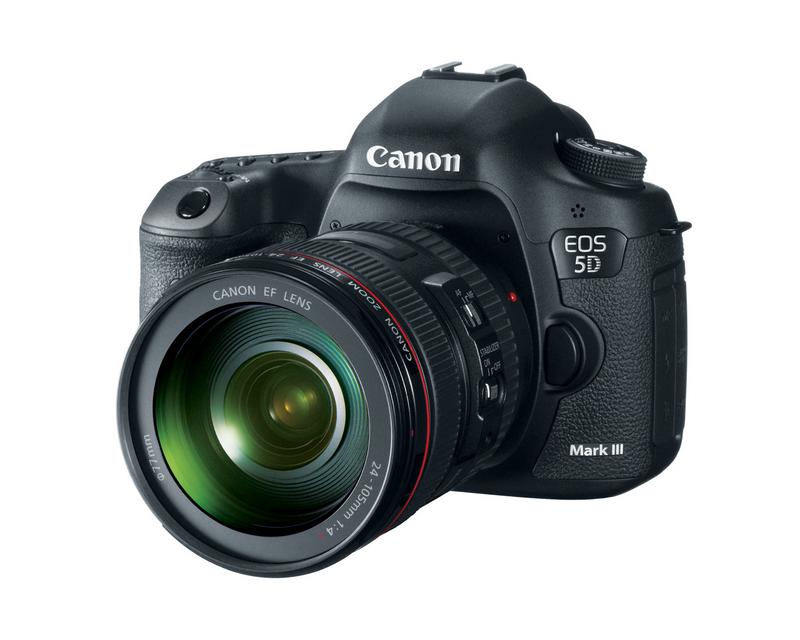
“Hey everyone- just wanted to give you all a heads up a camera store in NY called Profeel.com has "plenty" of Canon 5Diii's in stock. I typically get most of my camera gear from Bhphoto.com or Adorama, but it seems as if they have both oversold their initial supply and other camera stores are sold out as well. Canon 5Diii's at Profeel.com
Here is the link:
Canon 5Diii's in Stock at Profeel.com
Tell them Michael The Maven sent you. I don't get anything for the referral, but they seemed a little skeptical I could help them move what they had. I also know they should be getting another shipment on Friday, so once they sell out what they have today, more are coming in shortly.”

Tuesday, January 03, 2012
GoPro
So I finally picked up my GoPro Camera with the big boxing day sales on this year! This is my first bit of video taken during the Tim Horton’s Family Skate, now to learn how to judge distances as well while shooting. Thank you Rick VanMan at http://www.music4yourvids.co.uk/ for the music!

Monday, December 05, 2011
Lightroom 3 Video Add-on
As Posted Direct from GeekyGadgets.com – Check Them Out!
By Julian Horsey on Friday 2nd December 2011 1:02 pm in C
Knobroom MIDI Controller Add-on Created For Adobe Lightroom 3 (video)
A free add-on for Adobe Lightroom called Knobroom is available that will allow you to control the creative adjustments of photos using physical sliders and knobs from a Midi controller with Adobe’s Lightroom 3 software.
The software add-on has been around for sometime but is a great way to add a new style of creativity to your photography and image creation. Watch the video after the jump to see it in action.

Unlike other software Knobroom is available for Mac OS X systems and has been created to provide a direct manipulation add-on for Adobe Photoshop Lightroom 3.
If you fancy adding a little more creativity to your imaging and photography you can now download Knobroom for free.
Wednesday, November 30, 2011
Michael The Maven’s 2011 Photography Contest

Deadline Tomorrow Night !
Michael Andrew’s Third Annual Photography Contest
Show Off Your Talents!
Wednesday, August 03, 2011
Transform ~ by Zack Arias
Take a few moments to watch this short video Zack Arias made for Scott Kelby’s Blog. For those of you who don’t know these two guys – two words – photographic genius’s !


Wednesday, July 20, 2011
The Right Way To Negotiate
Every wedding is unique, therefore negotiating is bound to be an area you will be faced with in order to provide the best possible outcome for your clients. July 28th, Photoshelter offers a great webinar on the topic. Join In, to register click: www.photoshelter.com/mkt/201107/20110725.html

Tuesday, July 12, 2011
Photographers & Watermarks

There are of course two main reasons why photographers watermark their images 1: Advertising purposes 2: to keep others from copying their images off of the net and reposting it as their own. Recently a fellow Canadian photographer became aware of one of her images being blatantly used online for advertising by another fauxtographer.
The photographer who actually took the image was Vancouver Portrait Photographer | Cathy Empey Photographer, a well established and talented Photographer out of British Columbia, Canada. The image was re posted however by a “fauxtographer” in Atlanta. Now I’m quite sure the actions are prevalent among “want to be photographers” who simply do not have a portfolio due to lack of work, however – be sure – if you take this route, you will be found out. In this case – the fauxtographer was actually foolish enough to steal from multiple photographers sites, and or flickr pages, and posted them as her own as advertising.
In essence, it is almost impossible with today’s imaging tools to stop image theft even with a watermark – plain or elaborate. (the more elaborate methods will stop those really poor at PS though) That said however I would like to direct you to a post specifically dedicated to a variety of watermarking methods, as well as encourage you to be sure to set your metadata in your Lightroom or Photoshop settings (as again – those who really don’t know what they are doing, wouldn’t know to check metadata either). Check out “Creating Safe and Effective Watermarks” at Photoshop Tutorials for more details.


Monday, May 30, 2011
The Latest From Hassleblad
The Hasselblad was my first professional camera after graduating college with my photography diploma in 1990. Worth a small fortune, however I was fortunate enough to begin working for another photographer and worked it off over some time. It was a totally manual camera, with the special “speed wind dial” – WOW – how much camera’s have changed in 20+ years! You can now pick up the latest Hasselblad camera boasting 200 – yes – Two Hundred megapixels…for a mere $45,000 – now shipping 
The Following Post By Joe Pollicino  posted May 26th 2011 6:02AM At EndGadget.com


Hasselblad's H4D-200MS is yet another upgrade to its H4D camera line that we want badly, but wouldn't have a need -- or a budget -- for. This latest piece of kit is nearly identical to the 50 megapixel H4D-50MS externally, but internally adds an astonishing 150 more megapixels to the mix -- yes, that's an astounding 200 megapixels! Don't feel forgotten just yet if you have the older model, though, as Hasselblad can upgrade your sensor for €7,000 (roughly $10,000) -- a great deal considering the full kit costs €32,000 (about $45,000). With that said, we should note that details are null on the medium-format sensor's native resolution -- similar to the multi-shot feature on the 50MS, the new 200MS combines six shots to create ridiculously detailed 200 megapixel still images, and it handles less intensive photos with a four-shot 50 megapixel still mode. Should you dare to venture outside the studio, there's a 50 megapixel single-shot live mode for quick shots as well. Excuse us while we wrap our heads around the sheer number of pixels; you'll find more info after the break in the meantime.

Wednesday, May 25, 2011
Canon T3i Vs. T2i
Canon’s latest consumer dslr with video camera – the T3i. This series of cameras by Canon as been rapidly changing and making it hard for the consumer to keep up with. So what are the differences between the latest T3i and it’s predecessor the T2i? Find out in the video below by Michael Andrew, and for more information and details on this and other Canon and Adobe related products, check out the online store.

Tuesday, May 24, 2011
Wedding Photography Spoof
It’s always fun to see photographers making fun of our industry. Matt & Katie do a great job in this fun little video – Enjoy!
Wedding Photography Spoof Video from Matt E on Vimeo.

Wednesday, April 13, 2011
HDR Photography
Every wanted to learn HDR photography? Here is your chance, simply tune in with Creative Live on April 20th for the webinar (and be sure you have Adobe Photoshop on your computer) and learn how to create beautiful high dynamic range images.

Monday, April 04, 2011
GoPro 3D

This is so cool, and really affordable too – make your own 3D movies with the amazing GoPro camera system. I watched this sample Highlight Reel using my daughter’s “Barbie 3D glasses” and it looks incredible! I am really wanting to get a GoPro camera, not only for the water proof and shock resistant housing, but for the amazing quality that comes from this little guy! You have seen these cameras in action before – you just may not realize it! Anytime you are watching a sporting event, or a show like Wipe Out – you will see the contestants wearing one of these, giving the viewer a first hand account of their spills!

Sunday, March 27, 2011
Color–The New Photo-Sharing App

This past Wednesday I caught a quick review on CNN on this new app "Color” by Bill Nguyen. The app launched on the same day has had over $40 million in backing, and is known as the picture version of Facebook and twitter. The app allows users to share with anyone and see the pictures that other people in their area are taking. Nguyen describes the app “like social media on steroids”. Not sure I really want to get my social media images hopped up on steroids at this time 
Friday, March 25, 2011
White Balance Quick Trick

We often don’t have the benefit of having an 18% grey card with us on a shoot, but there are little tips and tricks to help you obtain the correct white balance. Today I found this short video by Lighten Up and Shoot Photography. It gives an easy method using Photoshop to obtain a very balanced look.
Main Tip: 2 out of the 3 colors (RED, GREEN or BLUE) are close to 128.
Wednesday, March 02, 2011
White Balance Colour Checker

I remember back in college having to do a massive spread of images with an %18 grey card – over exposing, under exposing, overdeveloping and under developing, I can’t even remember how many images were needed to complete the project…I do remember I had to do it twice…and that Steve K. patiently endured holding the grey card !
Today the process is so much simpler, and even possible without having to use an 18% grey card. The first video below is by Fro Knows Photo and very simply and straight forward shows you how to use a grey card, and then how to set your white balance once you import your images into Lightroom. The second video is by Gary Fong, and this one will actually give you a handy tip on how to make use of your light sphere to get your 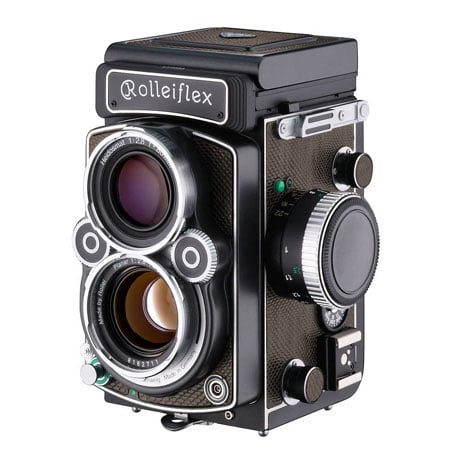 proper white balance. Both great teaching tools!
ps. this picture taken in 1989 was so not taken with a digital camera, actually it was taken with the college’s twin lens reflex camera!


Tuesday, March 01, 2011
DSLR Photography Class
Photos below are a mixture of my own and class participants.


Tuesday, February 22, 2011
Take Your Best Shot!
Are you taking your best shot? Getting the most out of your DSLR camera? All Day class this Saturday, February 26, email for more details Heather@capturedinnocence.ca